
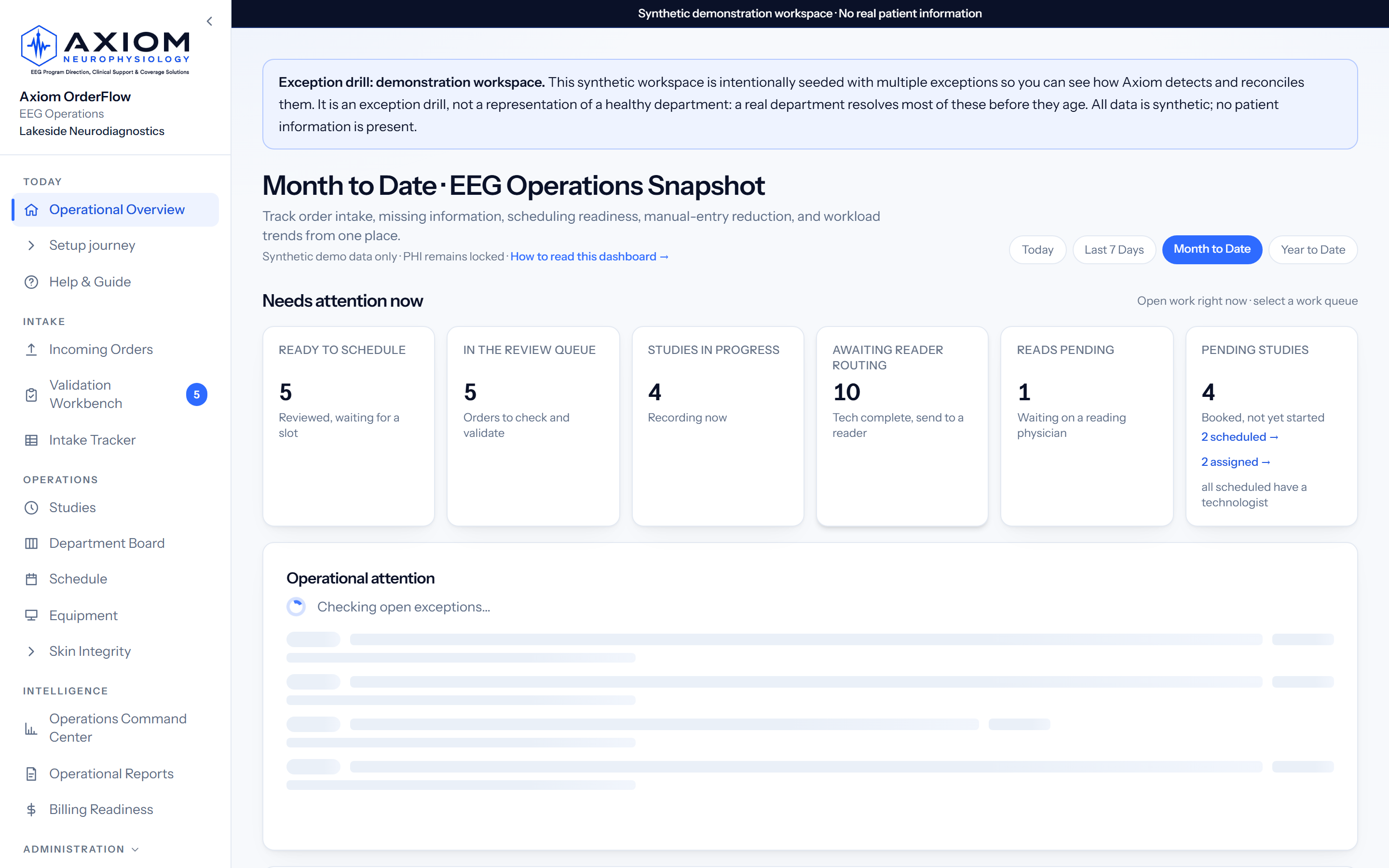
“What requires my attention now?”
EEG technologists & intake staff
- Owned work instead of inbox hunting
- Validate exceptions instead of retyping every field
- Clear next actions across hookup, monitoring, and disconnect
Axiom OrderFlow brings EEG intake, scheduling readiness, technologist work, equipment, handoffs, reader follow-up, billing readiness, and closeout into one live, auditable view.
Controlled pilots by invitation · Guided implementation · Do not include patient information in demo requests
A product of Axiom Neurophysiology ↗
Human-reviewed. Built specifically for EEG. Designed to complement your EHR and EEG acquisition system.
Aging, missing information, priority, and duplicate risk.
Assignments, starts, gaps, completion, equipment, and handoff.
Pending work, aging, turnaround, and escalation context.
Billing readiness, reconciliation, and measured outcomes.
(configuration-dependent)
Fax, email, upload, or a scoped interface: every EEG order lands in one queue with its source recorded, and the key fields are read off the PDF for you.
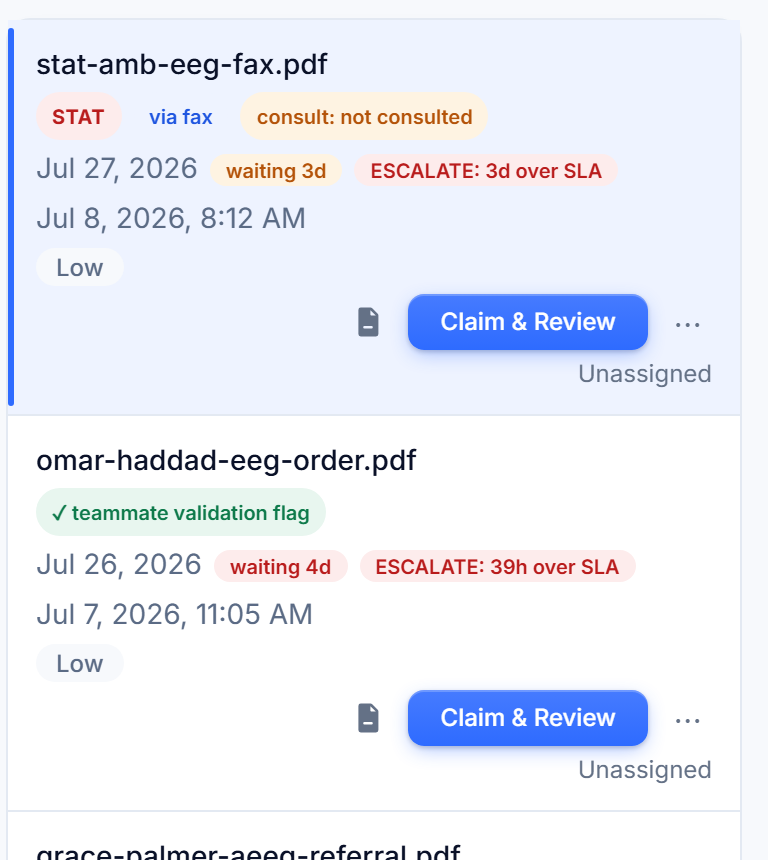
Your staff see exactly what was read, fix anything, and approve. Nothing reaches the tracker without a human sign-off; that is structural, not a setting.
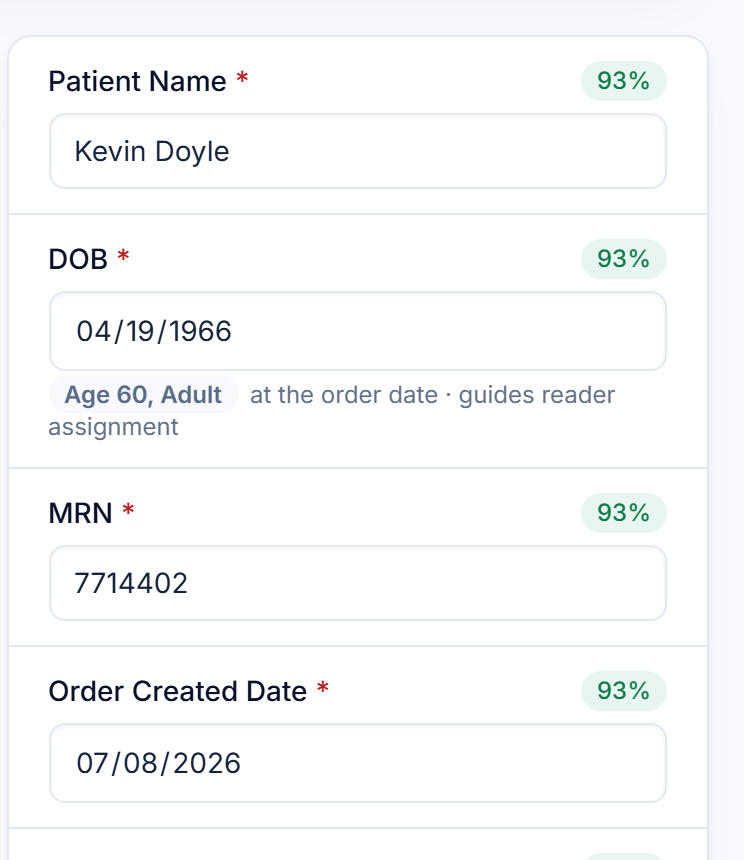
Techs get a runlist with hookups and disconnect due-times, supervisors get the board and schedule, directors get the numbers, all from the same live tracker.
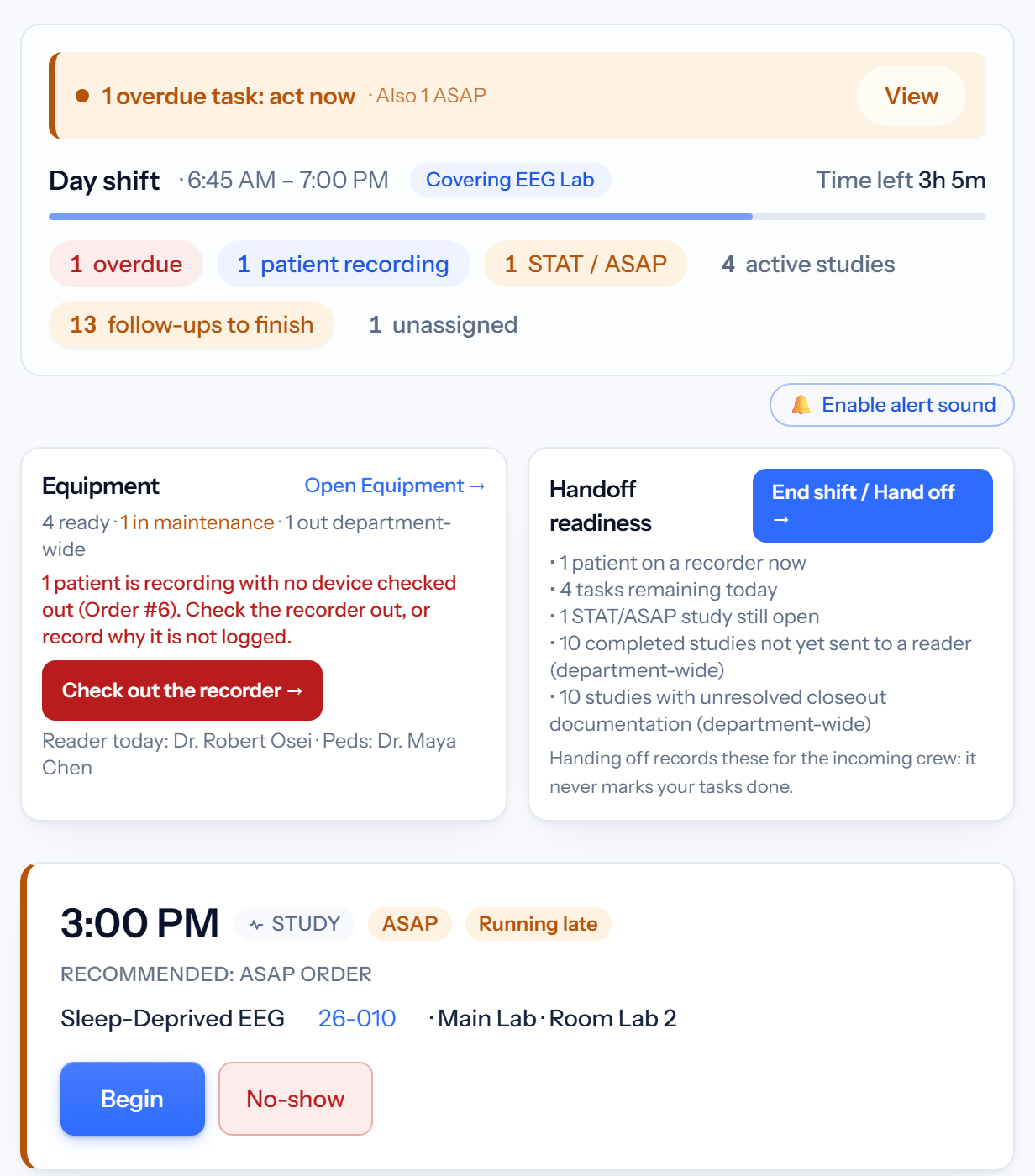
Step one is where most of the re-keying hides. See how EEG order intake software handles capture, missing information, and duplicate risk. →
The order queue, the spreadsheet, the whiteboard, and whoever happens to remember. The work gets done. It just can’t be seen, defended, or improved.
Order queues, PDFs, inboxes, EHR screens, and local trackers divide the truth before a study is even scheduled.
Missing information, possible duplicates, coverage gaps, and ownership problems surface after they have already delayed the next step.
Schedules, assignments, equipment, study progression, daily checks, and reader follow-up live in separate handoffs.
Directors learn about backlog, capacity pressure, unread studies, or billing-readiness gaps after staff have already absorbed the disruption.
Nothing skips a step. Nothing reaches the tracker without a person validating it. Every transition leaves a record.
Intake receivedthrough an approved channel
Auto-extractedhuman validation required
Exceptions resolveddeficiencies and duplicates
Readiness establishedscheduling and ownership
Study performedlifecycle and equipment
Reader turnaroundunresolved work tracked
Billing readiness reconciled and operational value measuredwhen configured
The spine is the workflow. See how EEG workflow software coordinates each step, from intake to leadership reporting. →
Every screenshot below is captured from the live application running a synthetic demo workspace, and the film shows the same real product screens. No patient information appears anywhere. Or click through it yourself, no signup. →
The Axiom launch film, 1:39. Real Axiom product screens on synthetic demo data. No patient information.

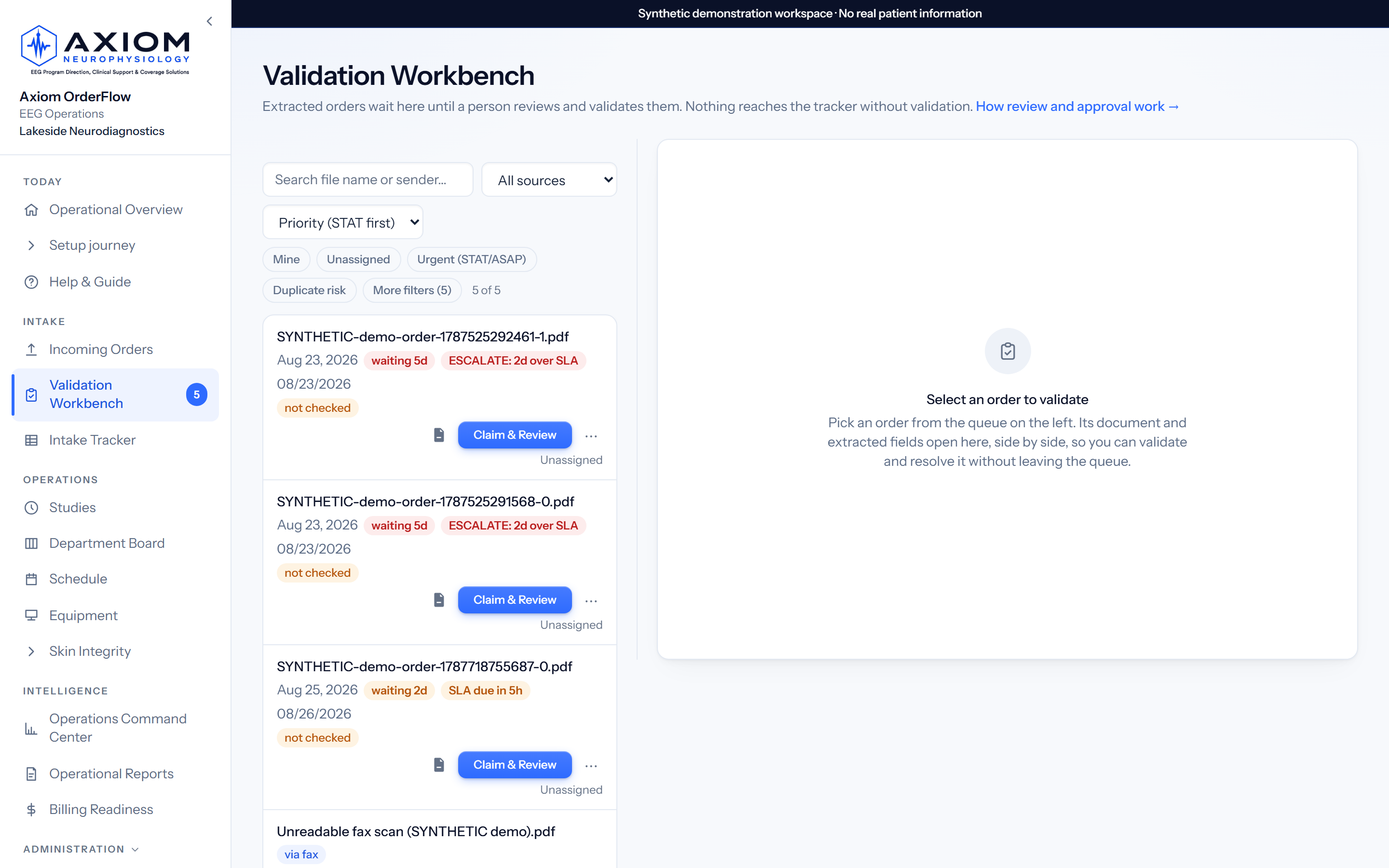
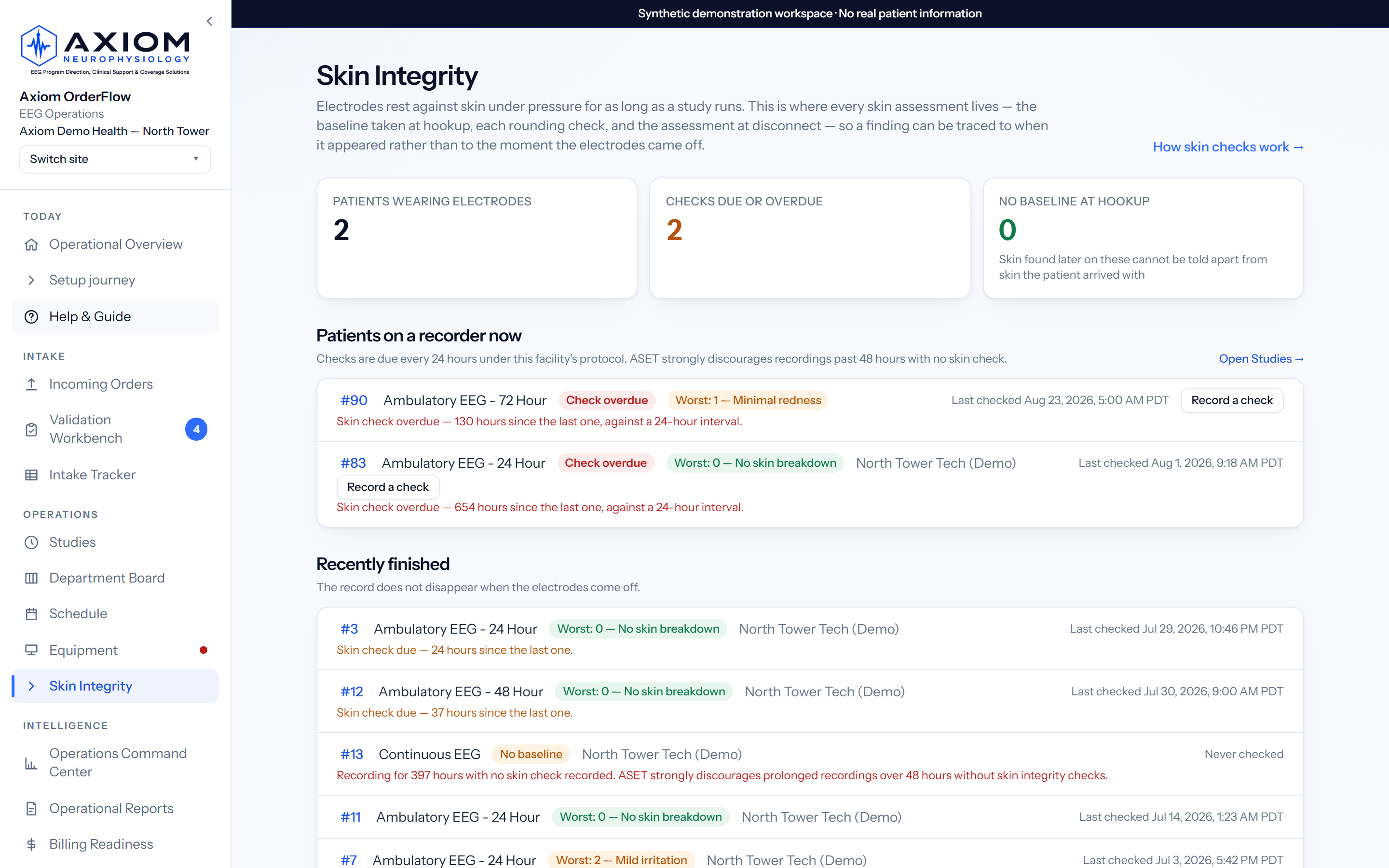
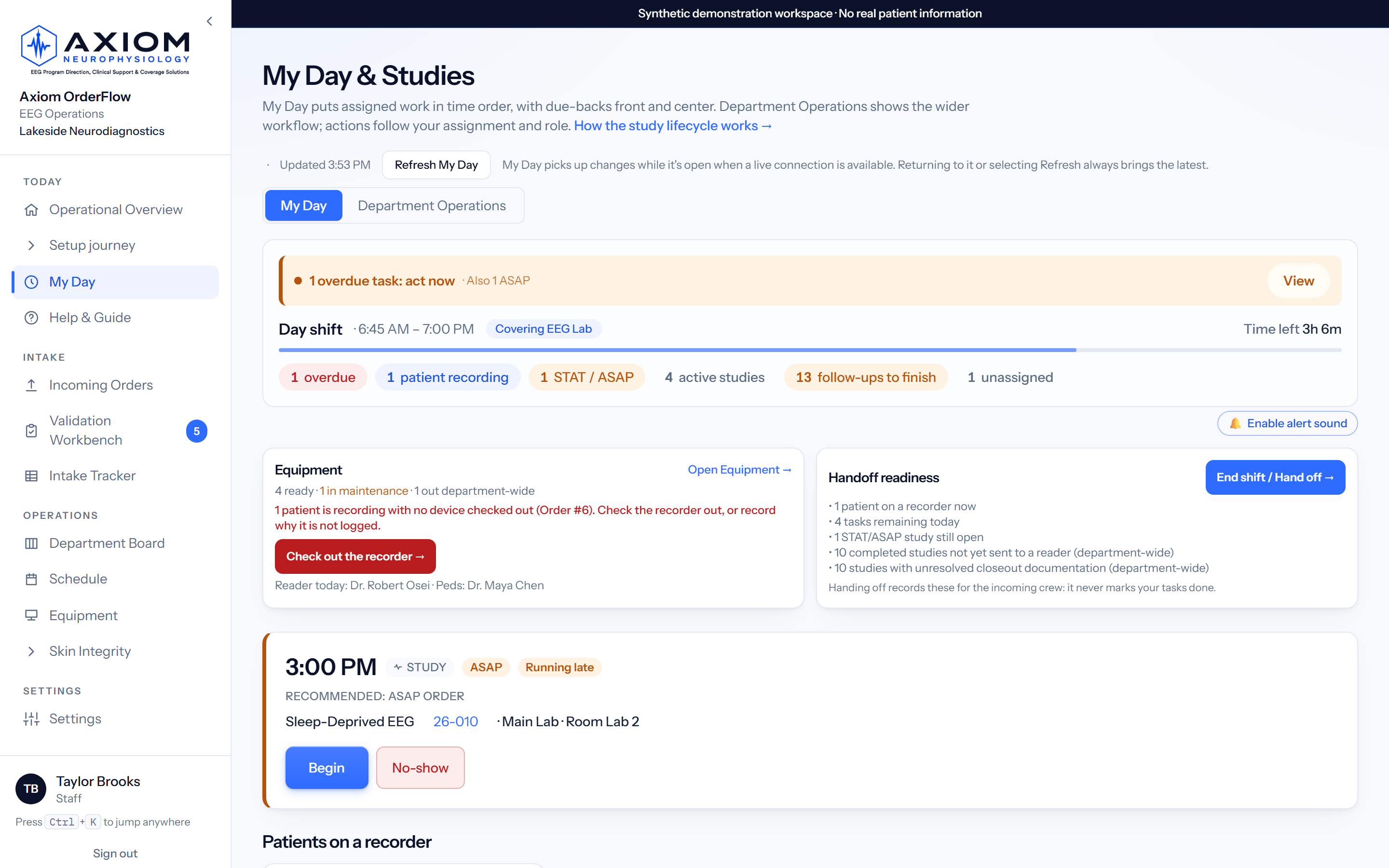
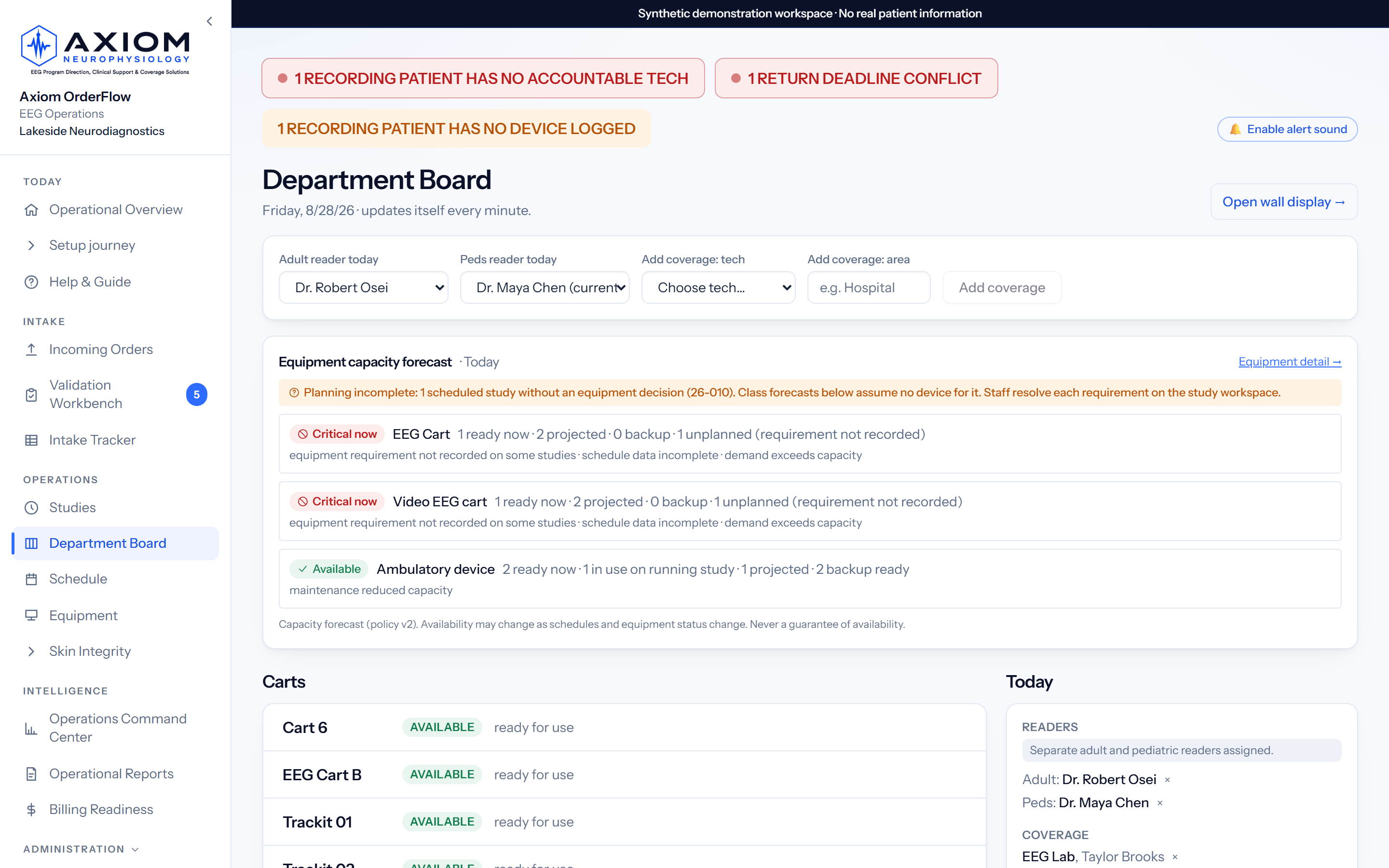
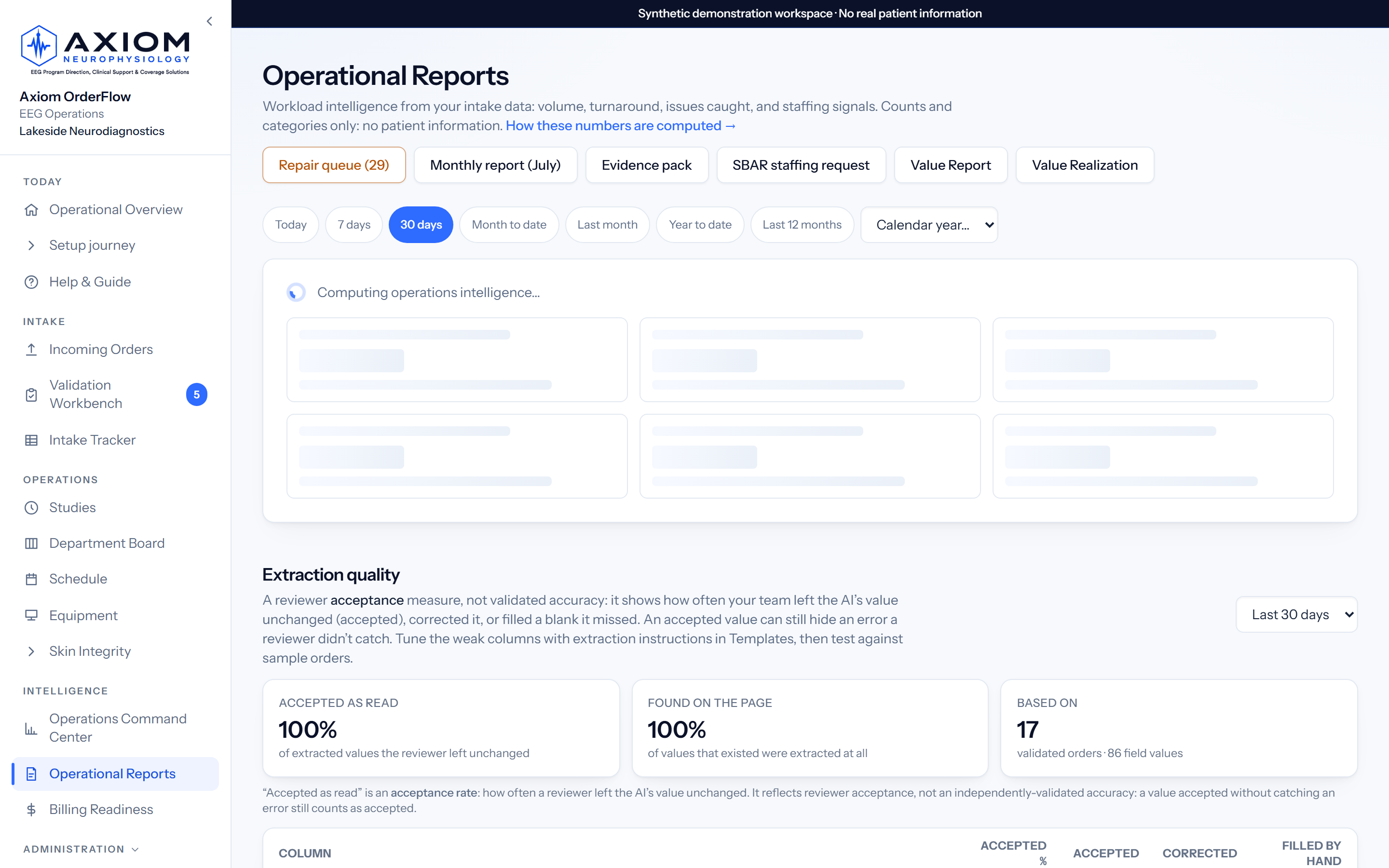
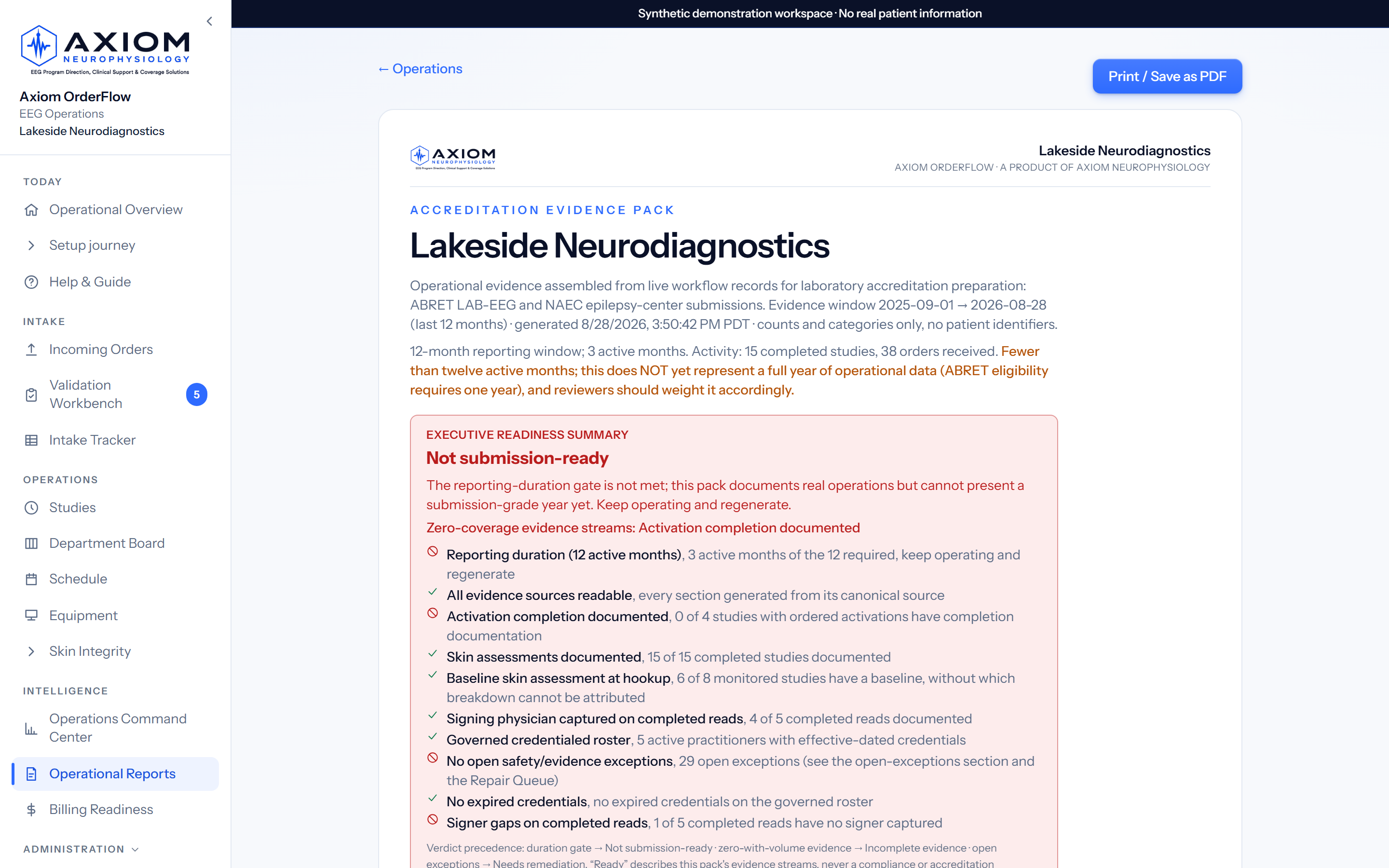
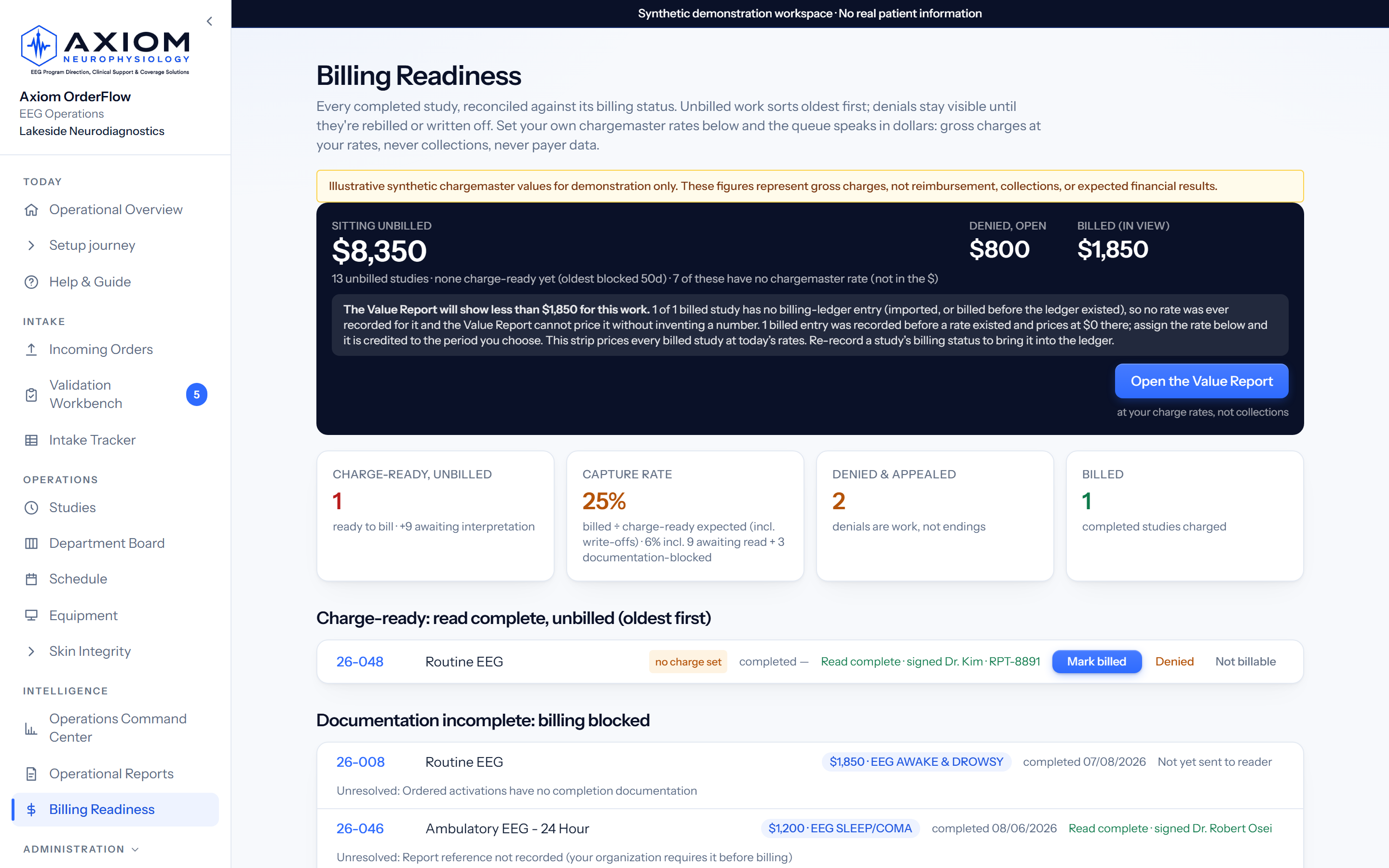
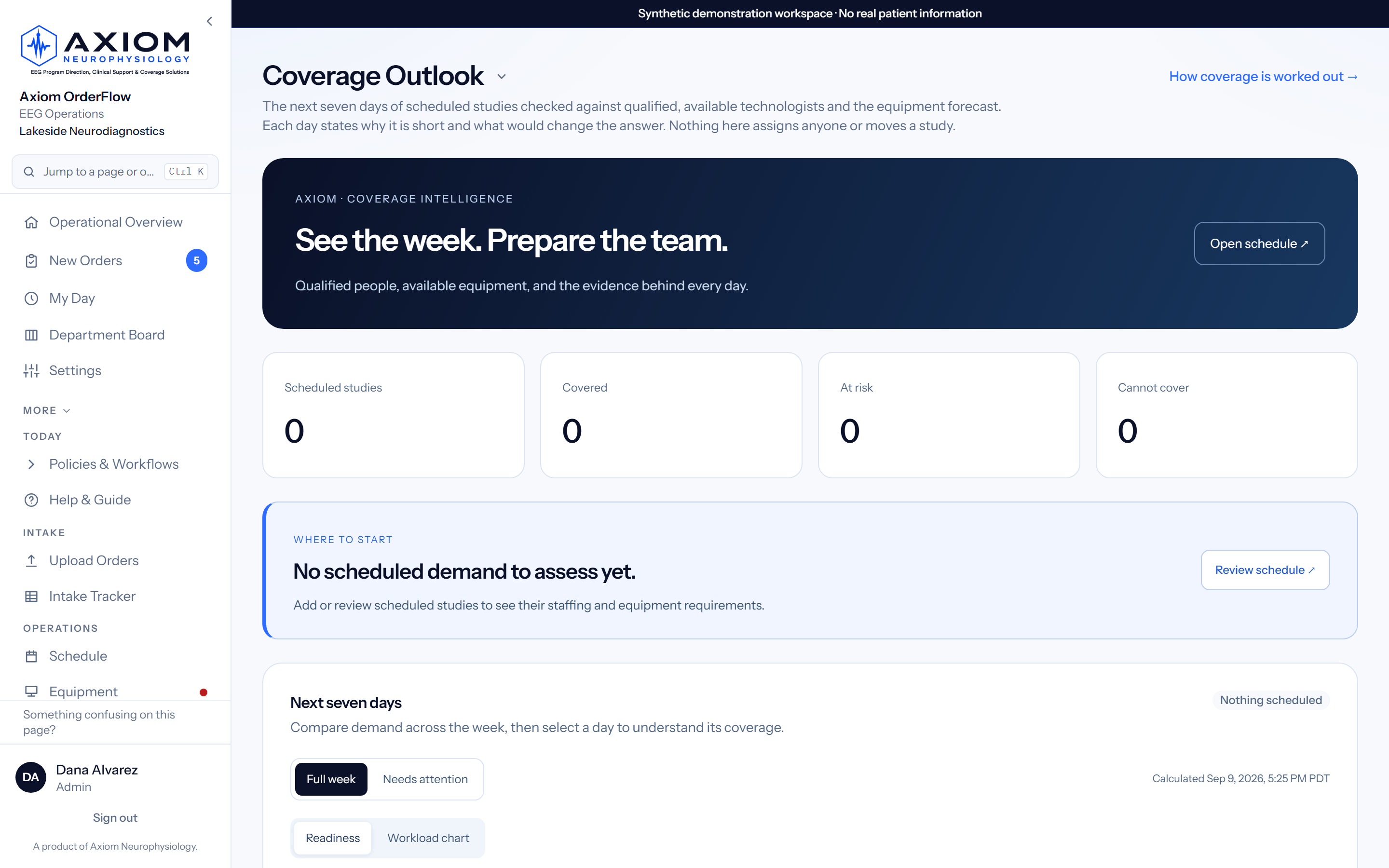
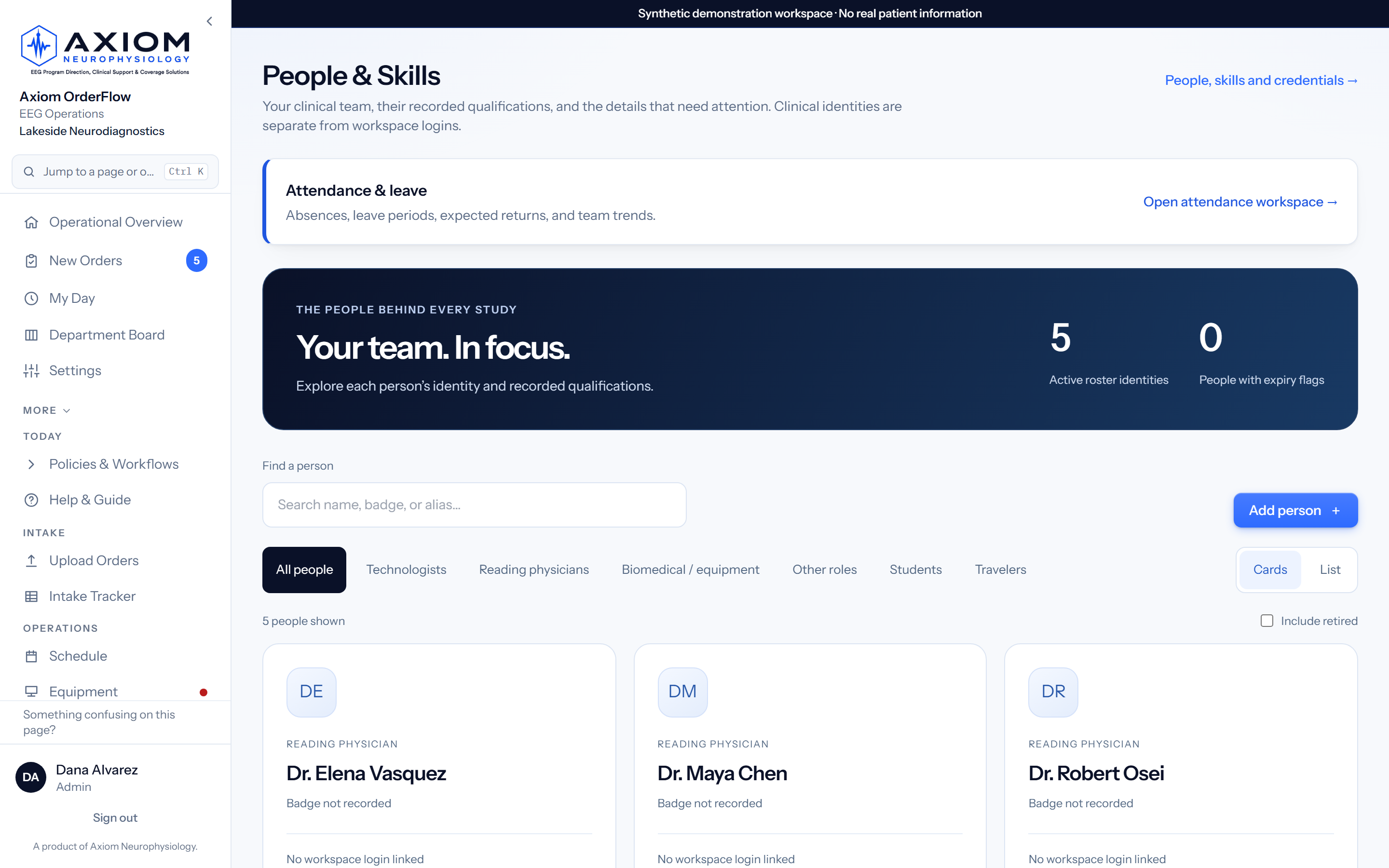
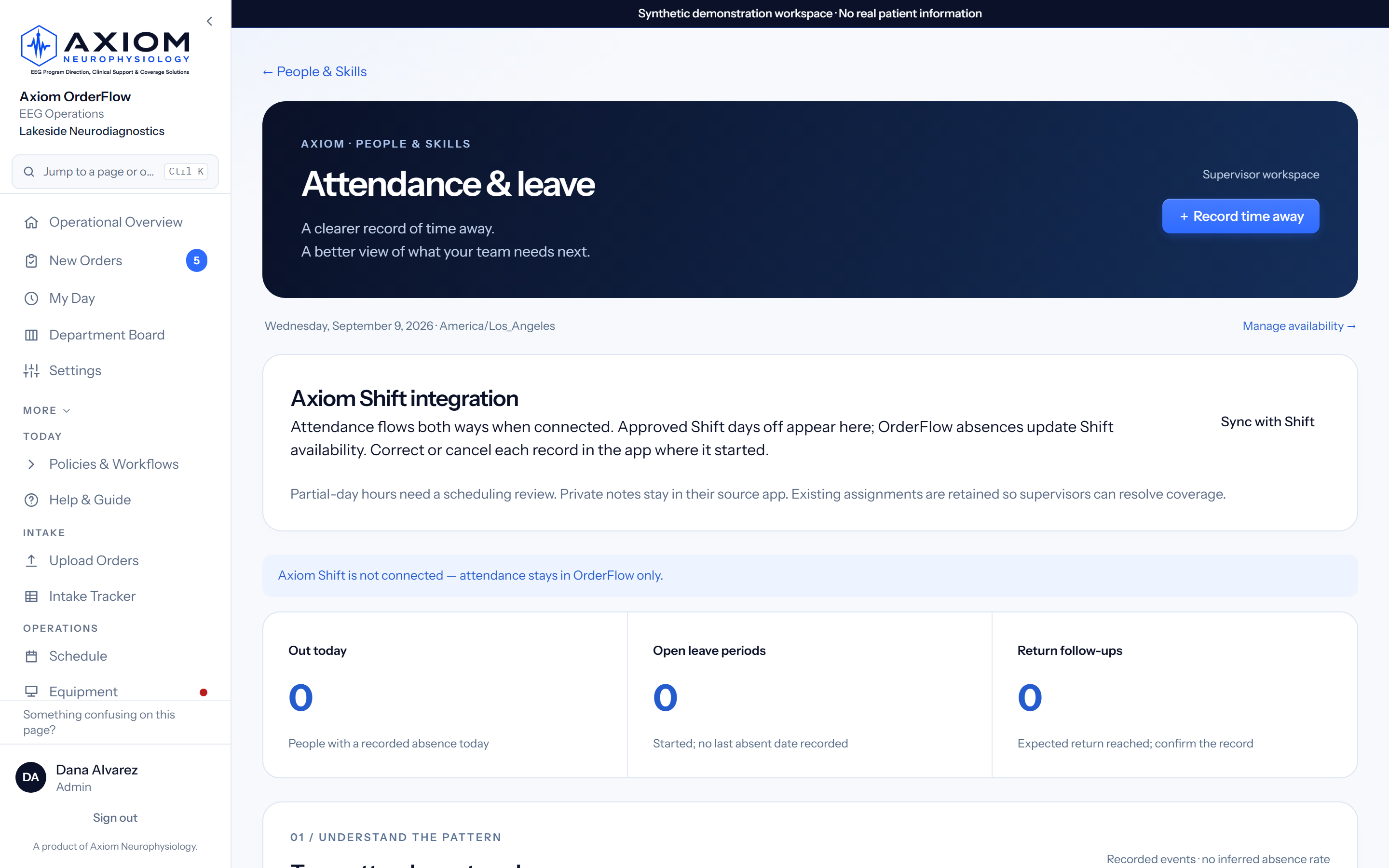
Extraction is the entrance, not the identity. Each layer is governed independently and audited together, so scope, permissions, and evidence stay defensible under review.
Axiom OrderFlow coordinates EEG orders, studies, equipment, reader follow-up, and billing readiness. Axiom Shift coordinates the people and coverage behind that work. Connected workspaces link clinical identities, qualifications, availability, and workload. Published availability is reviewed in OrderFlow before it is applied; each coverage view identifies the people and equipment evidence it evaluates.
Axiom does not replace the EHR, acquisition systems, payroll, HR platforms or physician interpretation. It is the operational layer that connects them.
Bring approved intake channels into one governed queue, with source provenance and a human review boundary.
Channels and interfaces depend on workspace configuration and contracted scope.
Staff validate auto-extracted details, resolve deficiencies, assess possible duplicates, and establish scheduling readiness.
Coordinate demand, assignments, studies, readers, equipment, staffing context, and daily exceptions from role-aware work surfaces.
Turn recorded work into measurable operational outcomes, billing-readiness exceptions, reconciliation context, and executive-ready evidence.
Financial figures use customer-provided gross-charge rates, never collections or reimbursement.
Replace scattered spreadsheets and repeated order entry with a single intake tracker your team reviews and trusts, sized for a small staff.
Request a Controlled PilotMove orders from intake review through scheduling readiness, study operations, device accountability, reader follow-up, and leadership reporting, all in one governed workflow.
Request a Controlled PilotStandardize EEG intake and operations across facilities while each site keeps its local configuration, with the governance, security review, and interface readiness your system requires.
Request a Controlled Pilot“What requires my attention now?”
“Where is work delayed, uncovered, or approaching a threshold?”
“What changed, what is at risk, and what value is being produced?”
“Can this be governed, scoped, and validated responsibly?”
Not a feature list bolted onto a spreadsheet. Each capability exists because an EEG department loses time without it.
Capture key order details from incoming EEG order PDFs (native text reading, with OCR fallback for scans) and reduce repetitive manual typing.
Every scheduled study checked against the competencies its type needs, the technologists on your Clinical Roster who hold them, their recorded availability, and the equipment forecast, with the evidence attached: who was considered, why each was chosen or set aside, and what would change the answer. A seven-day outlook names each risk and its fix.
Orders arrive on their own: point your inbound-email or fax service at your workspace address and every PDF lands in the queue with the sender recorded.
Surface missing authorization, study type, order-created date/time, and other required scheduling fields the moment an order arrives, with STAT orders sorted first.
Flag possible duplicate EEG orders before they create extra rows, extra follow-up, or scheduling confusion. Exact matches raise a loud warning.
One structured tracker instead of scattered spreadsheets: your columns, automatic study numbers (26-001…), month grouping, saved views, and filters that keep the work you need in view.
Every cart joined to the study it is running, today’s disconnects, and the readers of the day. It refreshes itself every minute.
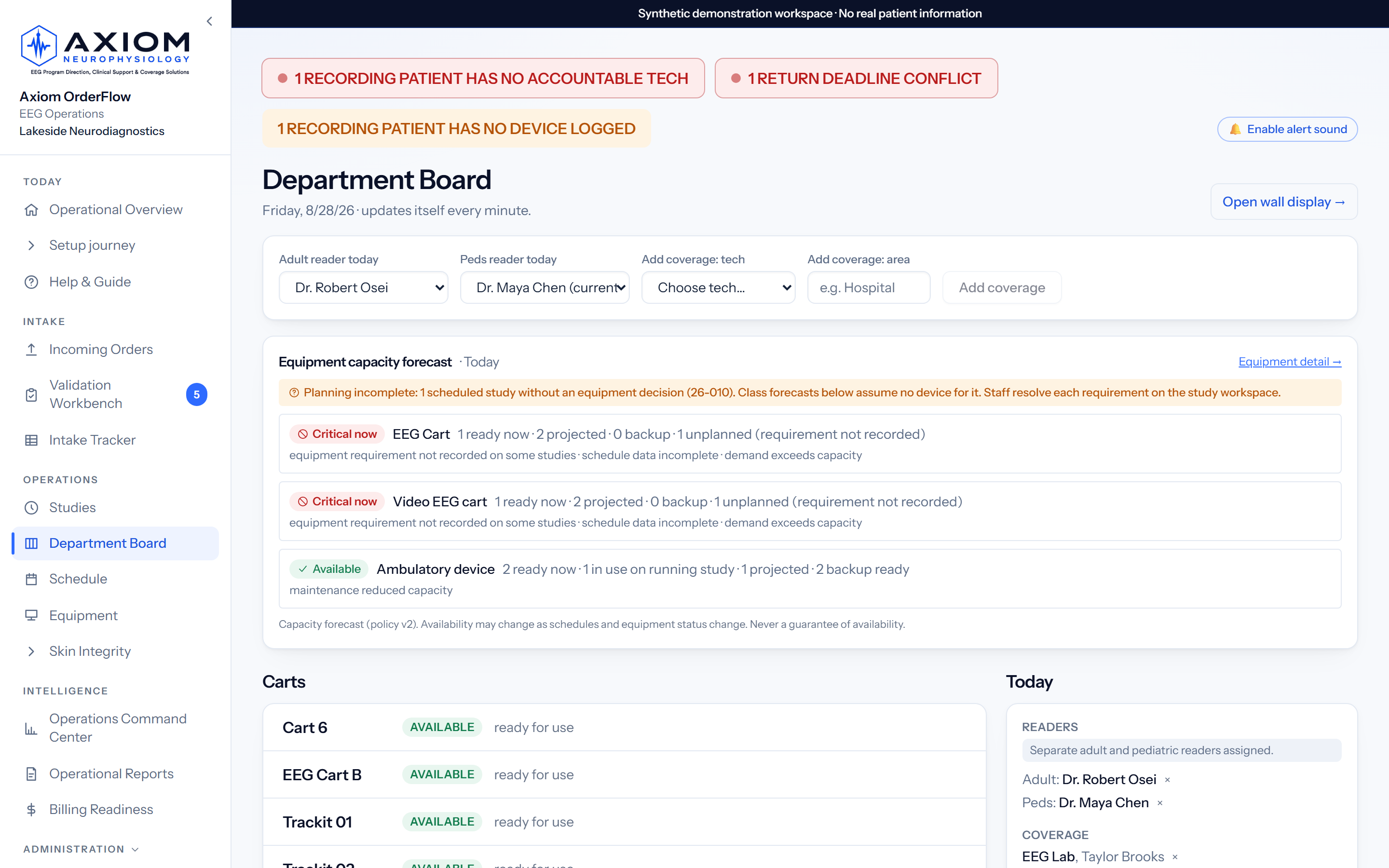
A time-ordered runlist, not a status board: hookups at their scheduled times, disconnects due exactly when a wearable study’s time is up, daily checks for admitted monitoring.
The dry-erase board, alive: every cart and what it’s running, today’s disconnects, readers of the day, and unit coverage, refreshing itself every minute. Nobody maintains it.
What the crew on the clock actually did (completed studies, disconnects, hookups, activations, daily checks) for this shift and the one it relieved. Your shift times, your timezone.
Week and month views on your facility clock, with day and night lanes drawn from your own shift times.
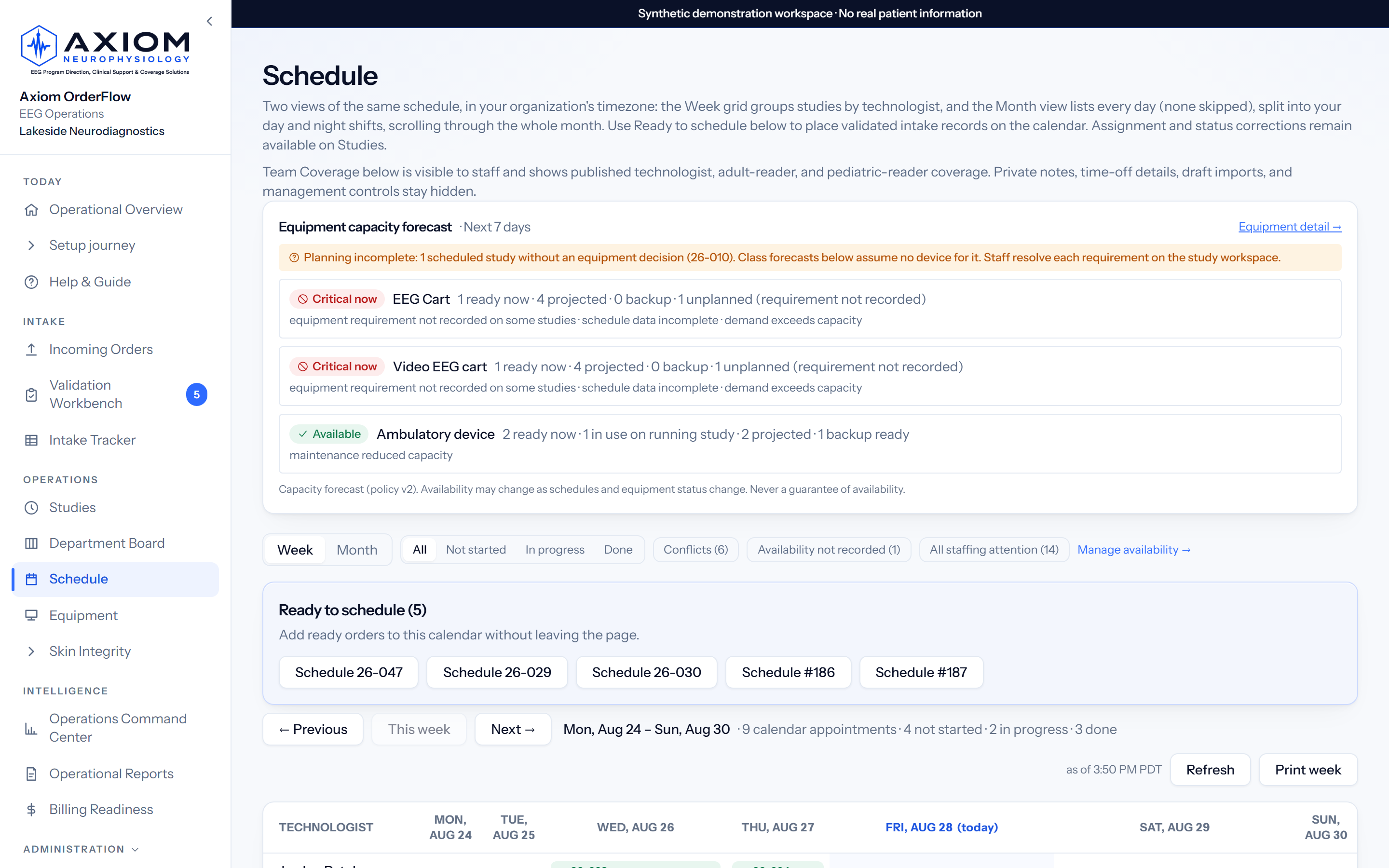
Unread studies age loudly: amber at 24 hours, red at 48, escalate past 72. You get per-reader pending loads and turnaround, plus a Monday report in leadership’s inbox.
Part of the Axiom Suite: pair OrderFlow with Axiom Shift, our technologist scheduler, and a published schedule arrives here as a draft availability batch a supervisor reviews, while Shift reads back per-day study counts, numbers only, so staffing follows the actual workload.
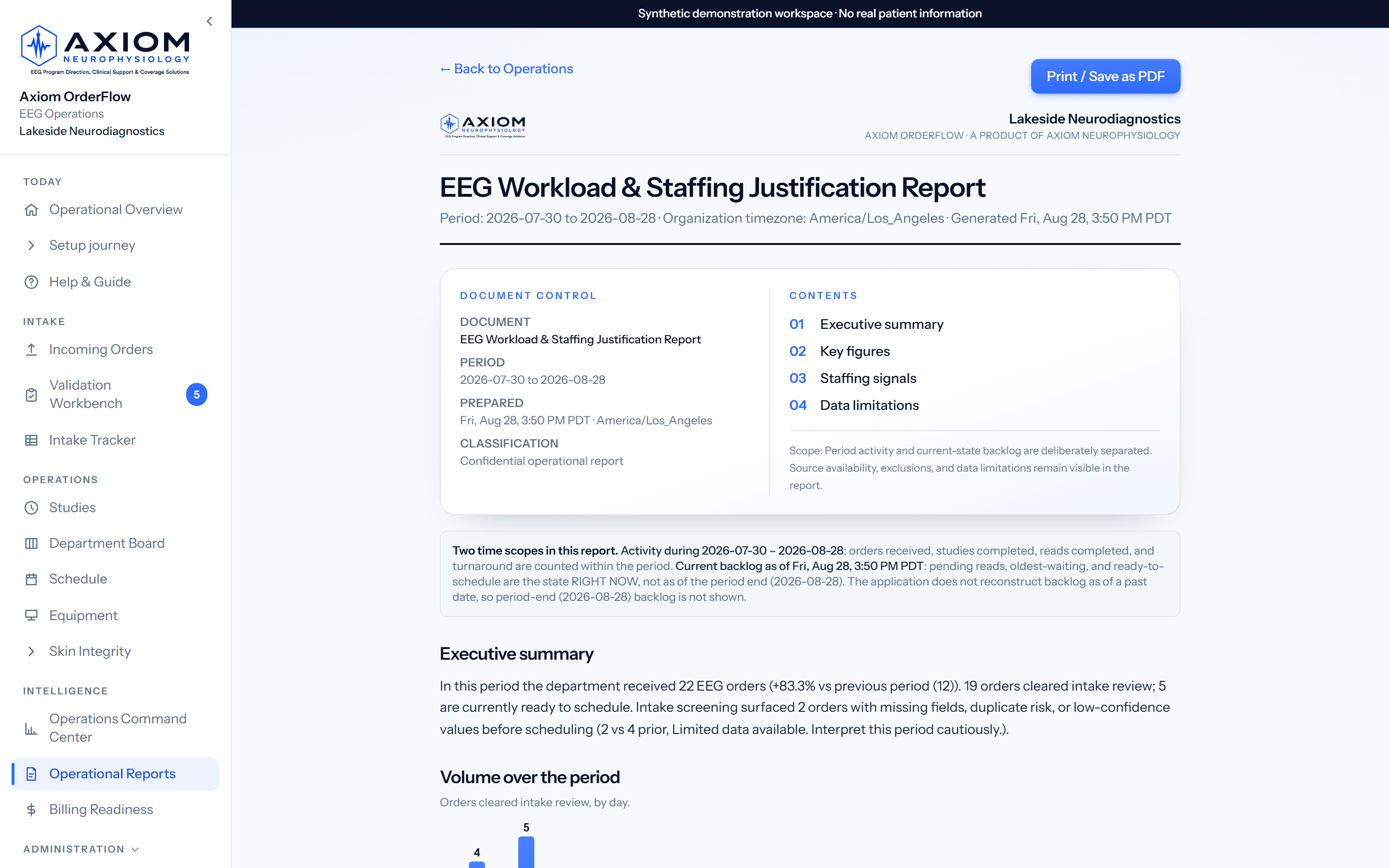
A ready-to-sign hiring memo in the format administration reads (Situation, Background, Assessment, Recommendation), composed from your twelve-month volume and workload record.
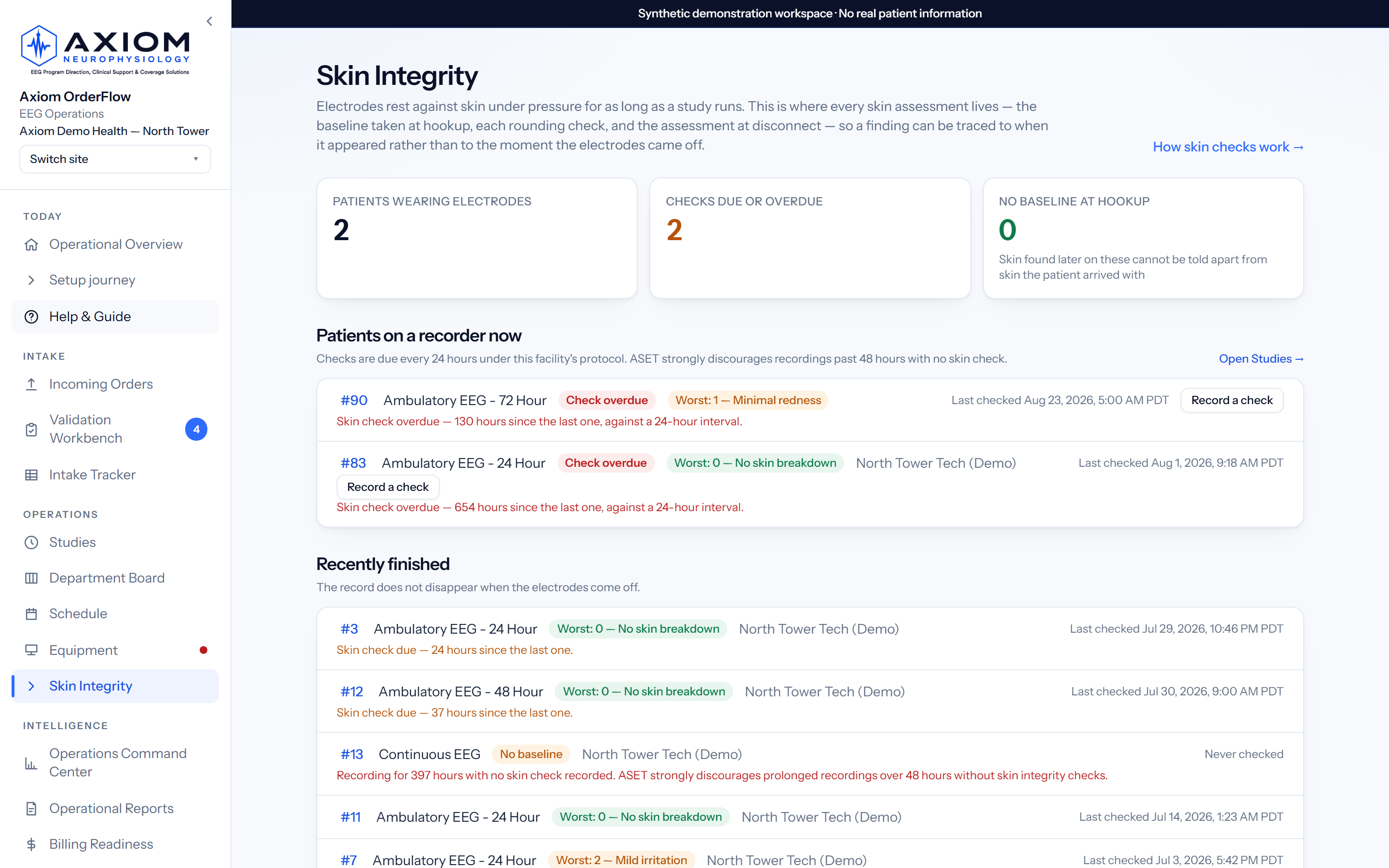
Electrodes rest against skin under pressure for as long as a study runs. Every assessment lives here, so a finding can be traced to when it appeared.
Enter your own chargemaster rates once and the unbilled queue speaks in money: what’s sitting unbilled, what’s aging, and a printable Value Report of what the system surfaced. Gross charges at your rates, never collections.
Track order volume by routine EEG, ambulatory EEG, LTM, EMU, Phase II, Wada, neonatal, ICU/cEEG, and other study types.
EEG carts and ambulatory devices with due-back dates: who is wearing what, what comes back today, and what is overdue. Devices are checked out against order numbers, never patient names.
Every skin assessment in one place: the baseline taken at hookup, rounding checks, and the assessment at disconnect, recorded by head region rather than as one overall score. A recording past 48 hours with no check is flagged.
Which sites fail, how many hours before they do, and how it differs by technique. Findings are reported against recorded electrode wear time, and studies that cannot be counted are listed by reason rather than dropped.
The tracker mirrors into Google Sheets, Excel, or SharePoint on its own (pull feed or push sync), plus CSV/XLSX exports in your column order.
A permanent, plain-English history of every change. Deletions are highlighted in red with who made them; the trail is append-only, and original documents follow your workspace’s configured retention policy.
Devices are where custody quietly breaks. See how EEG equipment tracking follows every cart and wearable to its due-back. →
Axiom OrderFlow helps supervisors and managers move beyond scattered intake spreadsheets by organizing order volume, intake issues, study type mix, scheduling readiness, and workload trends in one place. These are signals that support staffing review, never black-box verdicts.
Healthcare software earns trust by being precise about limits. Each boundary states what is enforced in the product and what is a contractual or operational commitment, so a reviewer can tell the two apart.
Demo workspaces are for synthetic data only, and that restriction is contractual and operational rather than technical. A database constraint pins the patient-identifying mode off, but it governs the mode flag, not the contents of a field: this release does not technically prevent someone typing patient information into an order, so please do not enter or upload real PHI. No PHI readiness is claimed until production security hardening, compliance review, signed Business Associate Agreements with our data and AI subprocessors, and facility approvals are complete. Ask us where that pathway stands before any production use.
Axiom OrderFlow is configured around a department’s workflows, facilities, and controls. We scope it with you rather than sell it off a shelf. See the packages and how proposals are scoped. →
Clinic, department, and multi-site editions. Every one carries the full operations platform. What changes is scale, interface scope, identity configuration, and support depth.
A one-time engagement, scoped after an operational assessment: configuration, templates, readiness rules, migration within a documented cap, training, and a stabilisation period.
Controlled pilots are paid, fixed-scope engagements, never free trials, and they are separate from the Axiom Neurophysiology consulting pilot. Pilot fees credit toward implementation on conversion.
Tell us your intake channels, study mix, and site count, and we will walk you through the scope that fits.
Request an EEG Operations ReviewEEG operations software runs the work around an EEG study rather than the recording itself: order intake, validation, scheduling readiness, equipment, reader turnaround, and department reporting. Axiom OrderFlow does that work alongside the EHR and the acquisition system; it does not record, review, or interpret EEG. Read the full category guide
No. Axiom OrderFlow is an EEG intake and operations workflow layer. It does not replace Epic, the EMR, facility policy, scheduling systems, medical director oversight, or neurologist interpretation.
No. It helps staff review intake information, correct extracted details, surface missing information, and organize orders for scheduling readiness. It does not make clinical decisions.
Yes. It is designed to reduce repetitive typing by extracting key details from EEG order PDFs and placing them into structured intake rows that staff review and correct.
It can flag missing or uncertain intake details such as authorization information, study type, order-created date/time, or other fields your template requires, so they get attention before scheduling, not after.
Yes, when fields such as assigned technologist, study start time, study completion time, and reading neurologist are configured. Workload and trend views build from what your team actually records.
Keep them. Templates are yours: add, rename, and reorder columns in the UI, including dropdowns like Setup Tech, with no vendor ticket. Exports follow your column order. The only locked column is Order Created Date, because it should always come from the order document.
Axiom supports governed HL7 v2 and FHIR R4 interface workflows through a hospital’s interface engine. Each production connection is separately scoped, tested, and accepted with the customer’s interface team. A workspace can start with secure document upload and configured email or fax intake, and add an interface later.
Not yet. Demo workspaces are for synthetic data only, and no PHI readiness is claimed until production security hardening, compliance review, BAA requirements, and facility approvals are completed. Ask us where that pathway stands before any production use.
Pricing is provided in a written proposal after a short scoping conversation. There are three packages (Axiom Clinic, Axiom Department, Axiom Enterprise), each with a separately scoped one-time implementation. Proposals are scoped on locations, order volume, interfaces, identity configuration, migration, training, and support scope. Paid pilots (90 days or 60 days) are fixed-scope, never free trials, and pilot fees credit toward implementation on conversion. The Pricing page describes what each package includes.
A 30-minute EEG operations review covering your intake channels, your study mix, your reader turnaround, and your equipment reality. No patient information, no obligation.
Demo workspaces use synthetic data only. Do not include patient information in demo requests or uploads.
Or email info@axiomeeg.com.